Smart Launcher Pro Jarvis.c

Smart Launcher Pro Jarvis.c
$3.49 BUY
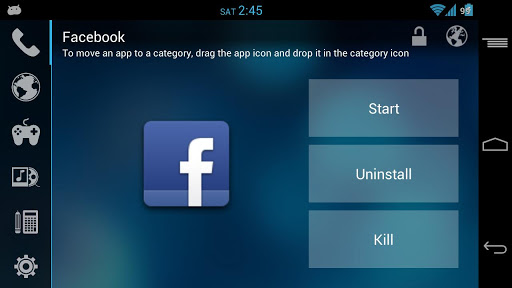
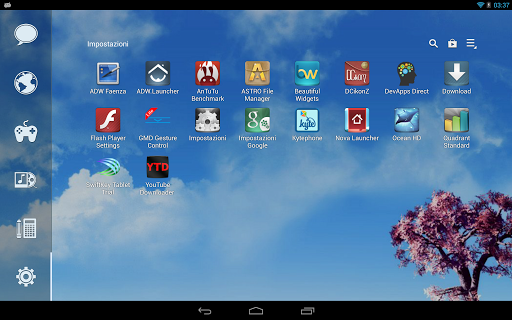
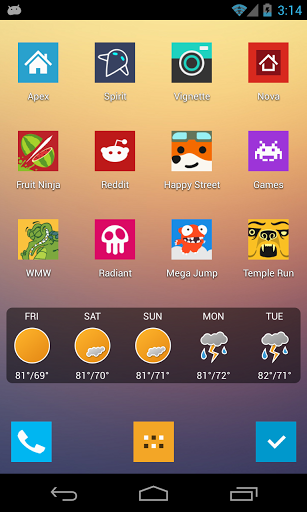
Smart Launcher is an innovative launcher characterized by a minimalist design, low memory usage and an user-friendly UI that let you start any application with a few taps.
It is currently the only launcher on the store to features automatic cataloging of installed apps!I don't use any license check, it's useless. I update this app weekly, spend few dollars is easier than download a pirate version every week.
Minimal doesn't means under-featured!
- Main screen with Quick Start
- Drawer organized by categories
- Ready to use without special configurations.
- Support for Live Wallpaper and screens of different sizes.
- Support of set of icons for Launcher Pro, ADW Launcher, APEX
- Possibility to change a single icon in the drawer.
- You can hide every app you want by long pressing an app, then select menu → hide.
- Fast search.
- Global theme now change every elements of the UI.
- Easy access to app's infos.
- Landscape mode.
- Option to hide the statusbar.


Audio Control 2.1.2

Audio Control
$3.99 BUY
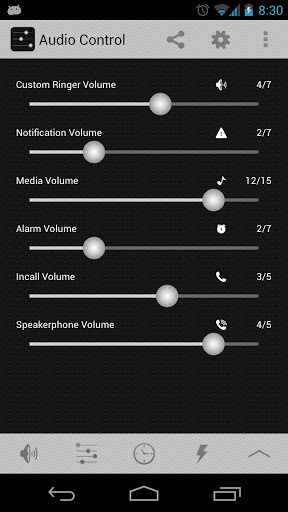
Audio Control provides an amazing and unique volume management experience.
Audio Control has 5 components: Profiles, Schedules, Exceptions, Quick and custom Vibration. Each provides a unique way to control how your phone sounds and behaves.
A complete tutorial with screenshots and videos can be found at: http://www.mobiletrialware.com/audiocontrol
The purpose of Audio Control is to allow you to create and manage unique audio profiles and switch between them with ease. When a profile is applies all the sounds of the device will change to match that profile.
Three optional plugins are also available for purchase: Location, WiFi Access Point, and Charging. These plugins will give you the ability to apply audio profiles in the most simple ways possible.
FEATURES:
★ Separate Notification and Ringer volumes for ICS/JB devices (turn on this feature in settings)
★ 13 Widgets that are completely customizable
★ Schedule all device sounds by day and time
★ 10 Shortcuts to access any part of Audio Control or apply a profilep quickly
★ Profile widget that is resizable and can have multiple instances
★ Download FREE custom widget background or make and share your own from the developers website
★ A separate speakerphone volume for when the speakerphone is too loud or quiet
★ Profiles for Headsets (Bluetooth and Wired)
★ Locale and Tasker support for scheduling by location and more!* (Requires Locale or Tasker app)
★ Complete Tutorial so you don’t miss out on anything
★ Tablet optimized
★ Car Mode Profile
★ Never miss a text or phone call "Exceptions" which will auto adjust the volume
★ Adjust the device volume settings for a short period of time with "Quick" great for meetings or naps!
★ Custom vibration patterns for any installed application (ICS+ only)
★ Attach a ringtone to an Audio Profile
Profiles are a way to save and restore audio profiles, with one tap put your phone on Silent, Vibrate, Loud, Sleep, or whatever you can imagine.
Schedules provide a way to apply your audio profiles by day and time. For example apply a Sleep profile every night before bed. Or a work profile before you arrive to work.
Quick will apply a profile for a short pre-determined time and then apply a different profile when that time is up. Useful for those quick meetings the boss surprises you with.
Exceptions are a great way to never miss a phone call or SMS (Text) message. Add a contact to exceptions and when they contact you a profile will apply just moments before so you don’t miss them. "Go SMS Pro" not supported.
Widgets and Shortcuts are a great way to access any part of Audio Control from your home screen. Apply a profile with only one click! There are lots of widget and shortcut options to choose from, so don’t miss out!

Go Locker Galaxy S4 Theme 2

Go Locker Galaxy S4 Theme
$0.92 BUY
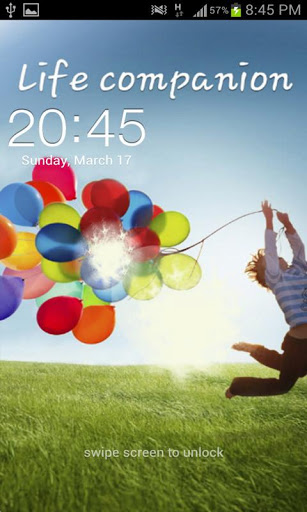
New Go Locker Theme Galaxy S4 Lockscreen HD! go launcher ex locker.Turn your phone into a Galaxy S4
*This is not an operating system.
It's a unlocker.*
You must have GO LOCKER app Installed to use.
With Go Locker now you have this on your phone in any version Ice Cream Sandwich or Jelly Bean Lock screen for Galaxy S2, Galaxy S3 and Galaxy R Style!!
Extensively Tested on:
Samsung Galaxy Nexus
Samsung Galaxy Note
LG Optimus One
Motorola Photon 4G
SHW-M290K
Samsung Galaxy S2
Motorola Defy
LG Optimus One
Another proof to the world that Android is much better than iPhone.
Features:
1. Cool Locker Screen that makes your phone outstanding;
2. Support customise wallpaper;
3. Security locker;
4. Alarm
----- How to use:-------
1. Make sure GO Locker EX v1.09 have been installed
2. GO Locker->Click “MENU—->
3 Choose the theme "Galaxy S4".
Please let me know if you meet any bugs or want any improvement!
Write us for give you a gift and dont forget rate the app.


Minimal UI Go Nova Apex Theme 1.1

Minimal UI Go Nova Apex Theme
$0.99 BUY
Minimal UI. A theme for Go Launcher Ex, Nova Launcher, Apex Launcher, ADW, & some others.Please hold off on icon requests at the moment. The theme currently contains 320+ icons but I'll be constantly updating to get back to the 600s. Once I'm there you can start emailing in your requests.
Recommended icon sizes:
- Go Launcher: Default Size (small)
- Apex Launcher: 100% or 105%
- Nova Launcher (Prime): 100% or 105%
This is NOT a standalone app, you need a launcher such as Go, Apex, Nova, etc that allow custom themes.
Installation:
1. Install Go Launcher, Apex, or Nova (all free in the Play Store)
2. Install this theme
3. Find Minimal UI in any of the launcher's theme settings, then apply.


Start menu for Android 1.2.3

Start menu for Android
$2.06 BUY
This application is designed by a motive from the 'Start' menu for Windows series.
Have you ever had some difficulties to search or manage applications installed on your device?
This app supports very similar user interface to 'Start' menu of MS Windows. So you can search and manage all applications easily.
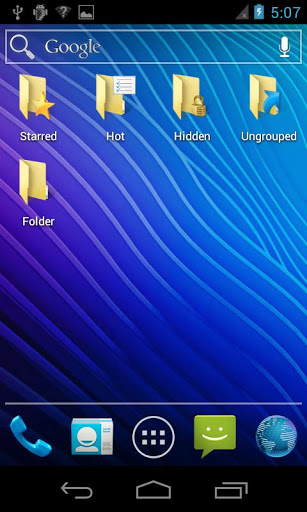
Also, you can categorize your all installed apps to folders and create shortcut to a folder or a predefined group such as starred, hot, hidden and more. Other folder management apps are no more needed!
The application drawer will be successfully replaced by this.* Main features
- Very similar UI to Windows Start menu
- pin apps to the favorites list
- hot apps list
- decorate panel by adding a widget
- hide, app info, uninstall, folder for apps, shortcuts and activities
- create shortcut to folder or more.
- various skins: Windows 7, Windows XP, Mac OS...
Keyword: Start menu, application drawer, folder organizer, apps organizer


Alloy Blue Theme CM10.1 1.5.4

Alloy Blue Theme CM10
$1.05 BUY
**READ: Only for use with the Theme Chooser, a custom, rooted ROM w/ this feature is needed to use this app!!>> Welcome to AlloyUI, a Theme Chooser theme with a dark metallic mix of buttons, sliders, checkboxes and more. Alloy takes Android's "Holo" style user interface and makes it more appealing by using design elements such as 3D style perspectives, new bevels/edges, ambient lighting and gradients. This is just a pilot to this series of themes, keep an eye out for an array of color options for AlloyUI!
>> Supported screen DPI: [XHDPI][HDPI][MDPI][LDPI][Tablet/Phablet UI]
>> Works on most CM sourced ROMs, including, CM10, CM10.1, AOKP, Paranoid Android, etc..
>> What's Theme Chooser & how to I apply this theme?:
- Theme Chooser is theme engine included in popular custom ROMs such as CM10, AOKP, and many more.
- Download and install this app and then navigate to Settings -> Themes -> Alloy Theme, and hit the "APPLY" button.
>> TROUBLESHOOTING:
- IF you see this error: "THIS THEME WAS IMPROPERLY COMPILED AND CANNOT BE APPLIED...", RE-APPLY the default "System" theme AND either:
- REBOOT
- OR, clear cache & data of "ThemesProvider.apk" & "ThemeChooser.apk", then apply the theme.
- This error: "SORRY, THIS THEME IS MISSING ASSETS FOR YOUR DEVICES SCREEN SIZE," is HARMLESS, just ignore and select "APPLY ANYWAY."