CircleLauncher 2.3

CircleLauncher
$1.25 BUY

This widget will help you to start your prefered apps or call your best friends - but with style!
You can add some frequently used apps, contacts or bookmarks to this launcher and start those apps, contacts or bookmarks with one click from a circle, a horizontal or a vertical line. Use the included launcher icons, load your own image or use a icon from any icon pack (CircleLauncher icon packs, ADW and Go Launcher icon packs supported). If you slide over the icons, they are animated a little bit mac-like ... just try it!
There are some issues with Android 3.x+: There is a default shortcut at the home screen that will be created after the installation - this shortcut works only for apps, but the CircleLauncher is a widget and has to be added to the home screen using the widget selection ... the shortcut will not work and can be deleted. Also some devices need a restart (or wait a few hours) until the new installed widget appears in the widget list.
Additional features in the full version:
- custom icons for the icon on the homescreen
- support for ADW icon packs for the icon on the homescreen
- vertical and horizontal launcher versions
Some icons in the screenshots are from 'CircleLauncher IconPack One', 'Minimal UI', 'Glasklart Go Nova Apex Theme', 'Circles Theme', 'Motif' and 'Rain' - the clock is 'lockscreen watch'.
Please don't move the app to the sd card - it won't work!
If you noticed a bug or have any questions, please send me an eMail.
Required permissions:
Directly call phone numbers
- direct calls for the contact version direct from the app

Read contact data
- is required to display the contact list
Read browser's history and bookmarks
- is required to display the bookmark list
Modify/delete USB storage contents modify/delete sd card contents
- reading and writing of the backup files

Control vibrator
- optional vibration if the launcher will open
French translation by Johan Jaworski.
Chinese translation by Leo Yang.

Photo Painter 1.7


Photo Painter
$1.42 BUY
Reviews & Awards:
This app offers relatively novel functionality which sets it apart from many other applications. - androidtapp
Aspiring painters can use this app to help them visualize their next magnum opus. - androidauthority
Add cool paint effects to your pictures and turn it into an artwork - AppEggs.com
Introduction:
Photo Painter is an interactive photo editing tool. Making art is pure fun in this app. The full version contains
★ Create painting from photos
★ 9 fantastic painting styles — realism, impressionism, expressionism, and more.
★ Seamless remove objects from photos (touchretouch)!
★ 15 cool image filters and color effects
★ 4 different frames
★ 4 special textures
★ Photo collage to combine your artworks
★ A intuitive way to combine all these elements
★ A powerful finger draw function
★ Addictive finger control
★ No advertisement ever
★ Continuous development more to come
USES:
This app’s primary use is as a creative photo editing tool. It is easy to use and remembers your preference. This app is good for creating amazing photos with its build in image filters and frames. Additionally, this app is ideal for artist and designer, allowing them to visualize different painting effects of the scene in real-time.
ADDITIONAL FEATURES:
-convert photo to paint with real time painting process
-easy to use and intuitive fingure control
-can adjust texture details
-complete interactive user guide
-brushes designed for fat finger and small screen
-freedom to combine and mixture everything
-auto orientation of the buttons
-zoom in zoom out of the photo
-direct access from gallery
-easy share to social networks
-large draw area with no advertisement
-small just 1.5MB
-install on SD card
HOW TO USE:
The user can load image from gallery or take a picture in the main page. On first use, there will be a complete tutorial with flashing buttons and animated gestures to guide the user. User can start the Photo Painter from gallery using share button directly. Images can be saved to the SD card or shared to Facebook easily in the option menu.
Similar Apps:
Instagram, Photo Editor, Touchretouch, Photo Collage

3D Transformer GO Locker Theme 1.0


3D Transformer GO Locker Theme
$2.97 BUY
3D Transformer GO Locker Theme, specially designed for GO Locker, brings you a totally new experience and overthrows the traditional way of screen locker. Want an extreme makeover for your phones? Try it now!
Notice
1. Please make sure you have installed GO Launcher EX V2.58 and GO Locker V1.12 or above.
2. Click Menu>Plugins>GO Locker, choose a theme you like and apply it to your phone.
Thank you for your continued support. Any advice or suggestion is appreciated.
Feel free to contact us if you have any problems or suggestions.

Sonic The Hedgehog 1.0.0

Sonic The Hedgehog
$2.99 BUY

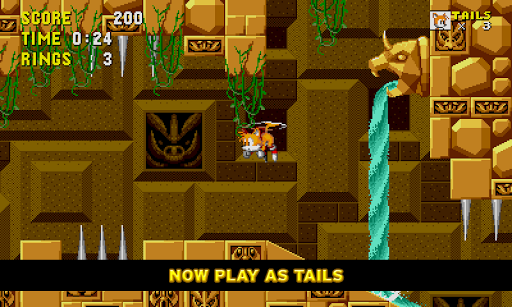
The Sonic game which started it all is now optimized for mobile devices!
Race at lightning speeds across seven classic zones as Sonic the Hedgehog. Run and spin through loop-de-loops as you collect rings and defeat enemies on your mission to save the world from the evil Dr. Eggman.
This re-mastered mobile version of the SEGA Genesis classic features the full “Sonic The Hedgehog” game, plus these EXCLUSIVE features:
NEW PLAYABLE CHARACTERS
Play as Sonic’s friends Tails & Knuckles for the first time. Use their unique abilities to fly, climb, and glide around levels offering exciting new ways to explore.
OPTIMIZED FOR MOBILE
Sonic The Hedgehog now plays in widescreen at a smooth 60FPS offering unrivalled performance and the game’s legendary soundtrack has been fully re-mastered.
GOTTA GO FAST
Challenge yourself with an all-new Time Attack Mode!
CONTROLLER SUPPORT
Sonic The Hedgehog on Android offers exclusive support for the Power A Moga, Nyko, XBOX, and all HID controllers.


iMatte (Donate) by IND190 1.4.0


iMatte (Donate) by IND190
$1.00 BUY
Works on CM10.1 CM10, AOKP, Pacman ROMS

GOLauncherEx Theme BloodRed 3.4


GOLauncherEx Theme BloodRed
$0.92 BUY
****** Known Issue ******
We are getting many people saying themes are not visible after installing on Jellybean roms.
Please email our support address below, we will send you a copy of the theme for you to install.
We are working on finding the fix to this, thank you for your patience
**TeamCarbon**
=== Blood Red ===
=== GoLauncherEx Theme ===
=== by TeamCarbon ===
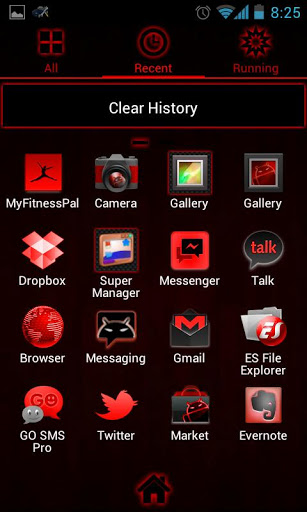
Matches other BloodRed Themes by TeamCarbon
Check out our: GOSMS, GOWidget, GOContacts, GoKeyboard, ADWLauncher/EX AndroidProWidgets and CM7/CM9/CM10 ThemeChooser Themes
Now with 6 matched wallpapers and around 490 coded icons + 100 other icons in the icon pack to choose from.
Icons in this theme are available and work as icon packs with both Nova Prime and Apex Launchers
===>Important tips:
1. Make sure the latest version of GO Launcher EX has been installed! (Search “GO Launcher EX” to download)
2. Apply the Theme: MENU->Themes->Choose “Newcentury” theme.
3. Search “GO Launcher EX Theme” in the Android Market to get more fantastic themes.
4. The status/notification bar in the screenshots is only available through our CM7/9/10 themes
It DOES NOT change as part of this application or theme.
*******************
please email us to requestspecific app icons,  include app and developer name :)
Don't forget to rate and comment please, your feedback is important to us
Theme also available in other colors:
 SteelBlue, BloodRed, AdeaPink, PoisonGreen,
 SunsetOrange, DeepPurple, SkullGray,
 SulphurYellow, ElectricCyan, LiquidGold
Jungle Camoflage
*******************