Quiz Tebak Lagu apk Description
Syarat yang dibutuhkan untuk menjalankan aplikasi:
- Internet connection (3G, HSDPA, WIFI, 4G) | EDGE & GPRS tidak direkomendasikan karena terlalu lambat
- External memory (untuk caching)
Get more freeware for your android, or looking more apk data and applications or may be you want more games and themes for your android

Syarat yang dibutuhkan untuk menjalankan aplikasi:
- Internet connection (3G, HSDPA, WIFI, 4G) | EDGE & GPRS tidak direkomendasikan karena terlalu lambat
- External memory (untuk caching)
¿What's a home replacement application?
Is an normal android application that will run when you press your android device's HOME key. It's what usually people know as the "android desktop".
¿What makes ADW different?
-It's compatible with android versions from 1.6 to 4.1!
-It's highly customizable, almost in every aspect you can think of.
-Thousands of skins and themes with support for most popular launcher themes!
-Mix and match your skins, icons, docks, folders, etc
-Configure your applications in unlimited groups and hide unwanted apps.
-Fast setup screen with fast access to add items or configure everything.
-Gestures for fast operation (swipe up/down, 2-fingers swipe up/down, pinch in/out, etc)
-Configurable Actionbar, similar to android 3.x+ tablet interface.
-Screens editor to add,remove, swap and resize your desktop screens.
-Configurable visual desktop indicators.
-Easy folder tweaking and management, content previews, arrangement, colors, etc.
-New AppWidget picker for devices running Android 4.1 and newer.
-Icons editor to create your own customized shortcuts or edit existing ones
-AppWidget resizing
-AppWidget backup/restore (only for android 4.1 and newer)
-Customizable applications dock with support for unlimited shortcuts with paginated scroll.
-Lots of settings to play with: texts, colours, animations, sizes... you should dig in!
Differences between ADW.Launcher and ADWLauncherEX:
ADWLauncherEX and ADW.Launcher share the same application core, but ADWLauncherEX includes a lot of extra features and improvements, like for example:
-10 different app drawer styles, including 3D waterfall, 3D Roll, 3D Ball, 3D Wall, 3D Cube...
-Lots of new desktop transitions: new animations while navigating through your desktop screens. Try them all, they're crazy!!!
-New icons size configuration to enjoy high quality icons from your preferred themes!
-Save custom configuration presets: Quickly configure and change the whole desktop configuration by 1 click!
-Backup and restore your configuration, easy and painless. You can even share your desktop configuration with your friends!
-More, more more to come!!
*Notice*
If you cannot find widget, please read below FAQ. It is not a bug.
*Features*
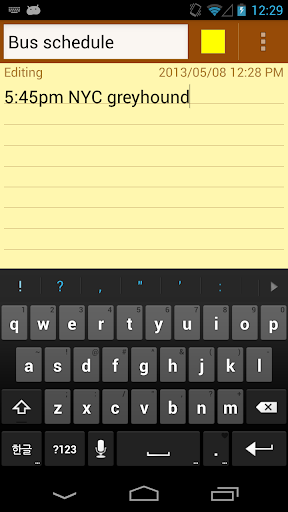
-Organize notes by color
-Sticky Note Widget
-Checklist for To do list & Shopping list
-Checklist to get things done (GTD)
-Organize your schedule in calendar
-Password Lock note : Protect your notes by passcode
-Secured backup notes to sd storage
-Supports online back up and sync. You can sync notes between phone and tablet.
-Reminder on status bar
-List/Grid View
-Search notes
-Notepad supports ColorDict Add-On
-Powerful Reminder : Time Alarm, All day, Repetition.(lunar calendar)
-Quick memo / notes
-Wiki link : [[Title]]
-Share notes via SMS, email, twitter
-Use color to categorize notes
* Online backup and sync cloud service *
-Notes will be encrypted before uploading using the AES standard, which is the same encryption standard used by banks to secure customer data.
-It does not send any of your notes to server without your signing up.
-Sign-in with Google, Sign-in with Facebook.
* About Permissions *
-Internet Access : For online backup & sync
-Modify/delete SD card contents : For backup to sdcard
-Prevent phone from sleeping, control vibrator, automatically start at boot : For reminder
*FAQ*
Q : How do you put a sticky note widget on the home screen?
A : Goto home screen and long press empty space and choose widget, Color Note will be there for sticking on page.
Q : How come the widget and the alarm and remider functions don't work?
A : If the app is installed on the SD card, your widget, reminder and etc. will not work properly because Android doesn't support them! If you have already moved app to SD card, but you want those features, you have to move it back to device and reboot your phone.
Settings - Applications - Manage Applications - ColorNote - Move to Device
Q : Where is backed up notes data at sdcard?
A : /data/colornote on sdcard
Q: I forgot my master password, how can I change it?
A: Menu -> Settings -> Master Password -> Menu Button-> Clear Password. You will lose current locked notes when you clear password!
* Product Description *
Color Note notepad features two basic note taking formats, a lined-paper styled text option and a traditional checklist option. Add as many as you want to your master list, which appears on the app's home screen each time the program opens. This list may be viewed in traditional ascending order, in a grid format, or by the color of the note.
- Taking a Note -
Serving as a simple word processing program, the text option allows for as many characters as you're willing to type with your device's virtual or physical keyboard. Once saved, you can edit, share, set a reminder, check off or delete the note through your device's menu button. When checking off a text note, the app places a slash through the list's title, a mark that shows on the main menu.
- Making To do List or Shopping List -
In the checklist mode, you can add as many items as you'd like and move their order around with the up and down buttons activated in the edit mode. After the list is finished and saved, you may check, and uncheck, each line on your list with a quick tap that generates a line slash. If all items have been checked, the list's title is slashed as well.
When you're finished using the notepad, an automatic save command preserves your individual note.
Keywords : Notebook, NotePad, Notes, Shopping List, Todo list, Todo, To do List, To do, 2do, To-do, Shopping, list maker, Calendar, Task, Memo, text editor, Sticky Note, Post It, notes, notepad, memo pad, memo widget, sticky, editor, getting things done, GTD, journal, awesome, supports colordict

A complete sections and news categories delivered quickly and intuitively in a native format designed for your Android.
Contents:
- News
- Bola
- Entertainment
- Tekno
- Otomotif
- Female
- Properti
- Health
- Kompasiana
Feature:
- Offline Mode
- Unread indicator
- More Optimized, Faster
Compatibility : Android 1.6 (donut) or newer.
FITUR BARU: Langganan Majalah Favorit Kamu. Lebih Hemat!
SCOOP hadir dengan lebih dari 7000 edisi majalah, buku dan koran yang dirilis setiap hari.
Baca media favorit anda mulai dari majalah ternama seperti TEMPO, Harper's Bazaar Cosmopolitan, T3, Cosmo Girl!, FHM, Popular, Maxim, Kartini, Bloomberg Businessweek, Autocar, Tribunnews, Seputar Indonesia, SWA, Mix, Marketing dan masih banyak lagi. Dapatkan juga majalah-majalah gratis Area, Juice, Premio, 360 Magazine, Bali & Beyond, Flink dan masih banyak pilihan lainnya.
Pembelian media dapat dilakukan dengan berbagai cara seperti PayPal, bank transfer BCA/Mandiri dan metode pembayaran lain yang akan segera diimplementasikan.
=======
English
=======
NEW FEATURE: Subscribe to your favorite Magazines and Save up to 30%.
SCOOP provides the largest magazines, books and newspapers collection of Indonesia media.
Find over 3,000 printed high quality publication and enjoy reading it while on-the-go.
Read high quality local contents from Cosmopolitan, FHM, Maxim, Cosmo Girl!, Bloomberg Businessweek, Harper's Bazaar, Kartini, Autorcar Indonesia, Tribunnews, Tempo, Seputar Indonesia, SWA and get also free magazines Area, Juice, Premio, Flink, Bali & Beyond and so much more.
SCOOP supports different payment methods such as PayPal and bank transfers.

Visit http://www.2kgames.com/mobile/ for more great games.